


ZKTeco SpeedFace-V5L[QR] Face and QR Access Terminal
Face and QR access control terminal with card and password authentication, optional palm recognition, and DC 12V 3A power requirements. TCP/IP and door interfaces support planning a connected entrance, with Wi-Fi available as an option.
1,195.00 SAR excl. VAT
Available on backorder
RISYS can programme and prepare devices before delivery. Contact us for quantity and project details.
Wholesale and project supply — up to 45% off











Up to 45% off wholesale supply.
Overview
ZKTeco SpeedFace-V5L[QR] combines face authentication and QR reading at an access point, with a DC 12V 3A supply requirement that belongs in the entrance design from the outset. It suits a project that needs different credential methods at the same doorway: face recognition for enrolled users, card or password access under the site’s security policy, and QR reading through the standard module. Palm authentication is optional and should be selected deliberately. For a Saudi facilities or security manager, the purchasing decision connects these methods with the physical door installation. Electric lock, door sensor, exit button, auxiliary input, and alarm output interfaces help define that installation, while the network and reader interfaces determine the connection plan.
ZKTeco SpeedFace-V5L[QR] in daily access procedures
Face, card, and password authentication give the security team a choice of credential methods when defining access procedures. Enrolled staff can use face authentication, while the site can incorporate cards or passwords where its procedures call for them. Before commissioning, decide which methods each user group will use and how enrollment, card issuance, and password administration will be handled. This makes credential selection an operational decision tied to the entrance and its users. The availability of several methods is useful when different departments follow different access procedures, provided the team establishes those procedures before rollout.
The standard QR module reads QR Code, PDF417, Data Matrix, MicroPDF417, and Aztec formats. That list helps the project team match the terminal to the actual code format used in its access process. Include representative codes in the entrance acceptance test when code reading is part of the intended workflow. Optional palm recognition has a customized capacity of 3,000 palms. Treat this as a configuration choice during procurement, so that an intended palm-based procedure is matched to the selected equipment rather than assumed during user enrollment.
Planning enrollment and transaction storage
The terminal supports 10,000 faces, 10,000 cards, and 10,000 users, with storage for 200,000 transactions. These limits address different planning questions. User capacity concerns the enrolled population, face and card capacities concern those credential records, and transaction capacity concerns recorded activity. Compare the site’s expected user population with the limit of 10,000 users, then consider the credential methods that population will use. Face and card capacities should not be added together to create a larger user allowance. Plan the 200,000 transaction storage capacity around recorded activity as a separate consideration from enrollment.
At a Saudi corporate office, the capacity of 10,000 cards supports assessing this terminal for a staff entrance where face authentication and card procedures need to coexist. At an educational facility or service centre, its supported code formats are relevant when the entrance process uses readable codes. In a warehouse or operational facility, review the exit button and door sensor connections alongside the chosen authentication method. These are deployment examples for assessing fit: the entrance design still needs to reflect the site’s users, security policy, and physical door equipment. Choose the use case first, then map the terminal’s interfaces to that doorway.
Door equipment and communication paths
Connections cover a third-party electric lock, door sensor, exit button, auxiliary input, and alarm output. Coordinate the installation with the door contractor so each connection has a defined role. Plan cable routes around the actual locations of the lock, sensor, and exit button, together with the terminal’s DC 12V 3A supply connection. During handover, test authentication together with the lock response, door sensor indication, exit operation, and the auxiliary connections used by the project. This links the selected credential procedure to the physical entrance equipment and gives the facilities team concrete acceptance tasks.
Communication options include TCP/IP, Wiegand input and output, and ZKTeco RS485, with optional Wi-Fi. For a wired network installation, coordinate the TCP/IP connection with the site’s network team. Where the design calls for wireless connectivity, specify the Wi-Fi option during equipment selection. For Wiegand or ZKTeco RS485 connections, review the counterpart interface and wiring plan before committing to the connection path. These interfaces provide different integration routes, so the project should identify which route its design requires rather than choose solely by the number of interface names.
Family positioning and power planning
Compared with SC103, SpeedFace-V5L[QR] specifies DC 12V 3A, while SC103 specifies DC 12V. The stated current requirement is therefore a concrete supply-selection point for this terminal. SF200 and SF300 have similar stated voltage and current requirements, so power alone does not distinguish the purchasing decision among these models. For this configuration, focus selection on face and QR authentication, the required code formats, and the entrance connection plan. Confirm the DC 12V 3A power provision, network route, door wiring, and enrollment procedure before commissioning, and specify optional Wi-Fi or palm authentication wherever the project requires them.
Technical Specifications
- Brand
- ZKTeco
- Authentication Method
- Face, optional palm, card, password; QR via standard module
- Capacity
- 10,000 faces/cards/users; 200,000 transactions
- Connectivity
- TCP/IP, optional Wi-Fi, Wiegand input/output, ZKTeco RS485
- Device Type
- Face and QR access control terminal
- Model
- SpeedFace-V5L[QR]
- Power
- DC 12V 3A
Frequently Asked Questions
Which authentication methods does this terminal support?
It supports face, card, password, and QR through the standard module. Palm authentication is optional, with a customized capacity of 3,000 palms.
What are the user and transaction capacities?
The terminal supports 10,000 users, 10,000 faces, and 10,000 cards, with storage for 200,000 transactions.
Is Wi-Fi a standard connection?
Wi-Fi is optional. Communication interfaces include TCP/IP, Wiegand input and output, and ZKTeco RS485.
What power and door connections does it require?
Its power requirement is DC 12V 3A. Door interfaces cover a third-party electric lock, door sensor, exit button, auxiliary input, and alarm output.

Browse ZKTeco access control and time attendance equipment in one place: face and fingerprint terminals, door controllers, card readers, electric locks, hotel locks and vehicle barriers for offices, hotels and compounds across Saudi Arabia. ZKTeco is a Chinese biometrics manufacturer
Browse brand productsDelivery across Saudi Arabia
Clear warranty
Some devices or frequencies may require a permit or approval depending on the intended use and the regulations in force in the Kingdom. Requirements are clarified before project orders are fulfilled.
Customer Reviews
No ratings yet for this product
Only logged in customers who have purchased this product may leave a review.
Related Products

ZKTeco ZK-SC103 RFID Standalone Access Control Terminal
On backorder
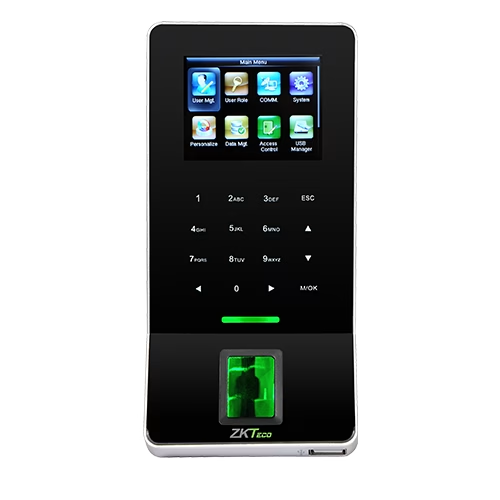
ZKTeco F22 Fingerprint Attendance and Access Terminal
On backorder

ZKTeco FR1200 Fingerprint and RFID Access Reader
On backorder

ZKTeco SLK20R USB Fingerprint Scanner
On backorder
Reviews
There are no reviews yet.