

APC SMV1000I Line Interactive UPS 1000 VA
A 1000 VA Line Interactive tower UPS with pure sine wave output, AVR and an LCD. Six IEC C13 outlets plus USB and serial management connections suit a planned equipment installation.
Original price was: 1,253.77 SAR.1,178.54 SARCurrent price is: 1,178.54 SAR. excl. VAT
Available on backorder
RISYS can programme and prepare devices before delivery. Contact us for quantity and project details.
Wholesale and project supply — up to 45% off












Up to 45% off wholesale supply.
Overview
APC SMV1000I brings pure sine wave output, an LCD and USB and serial management connections to a 1000 VA Line Interactive tower UPS. Its six IEC C13 outlets make it a candidate for a planned group of equipment with suitable power connections, rather than an installation chosen only around spare sockets. For a Saudi facilities or IT team, the decision can begin with the required waveform, connector format and way of checking the UPS. The 230 V rating and automatic voltage regulation belong in the same review, alongside the combined electrical demand of the devices that the unit will support at the intended location.
APC SMV1000I and pure sine wave output
The pure sine wave output is a useful selection criterion when connected equipment calls for that waveform. Check the electrical requirements of each device before treating the UPS as suitable for the whole installation. This gives the purchasing team a concrete reason to select this model beyond its family name. The Line Interactive topology and automatic voltage regulation also make voltage handling part of the decision. Review those characteristics against the site’s backup requirement and the equipment’s needs so the selection reflects the actual operation being protected.
Planning a group of IEC connected devices
Six IEC C13 outlets provide the physical output arrangement. Prepare a device schedule that identifies the required cable for every connection, then review the aggregate load against the 1000 VA apparent power rating. Outlet availability and load capacity answer different questions: the installation needs both suitable connections and a suitable combined demand. At an office equipment point, this approach helps the team decide which devices belong on the same UPS and which should remain outside that particular backup plan.
Local viewing and management connections
The LCD gives staff a local display to consult when inspecting the unit. Choose a tower position where the screen can be viewed without moving equipment or pulling on cables. USB and serial management ports provide connection choices for a management arrangement; plan the intended interface before the installation is handed over. Decide who will use the local display and who will be responsible for the management connection. This keeps routine facilities checks and the technical team’s work coordinated around the same piece of equipment.
Use in Saudi offices and service locations
Consider this model for an administrative equipment area, branch office or service facility where the selected devices require IEC connections and the electrical review supports the planned load. A reception operation may prioritize keeping the relevant equipment together; an IT support location may place greater weight on management connections and direct access to the display. These priorities should shape the layout. Identify a stable standing position, the incoming supply and the routes for equipment cables before deciding that the location is ready for installation.
Positioning within the Easy UPS selection
When reviewing BVX700LUI-MS or BVX900LI-MS as alternative family choices, ask whether the installation calls for the SMV1000I’s pure sine wave output, IEC connection arrangement and management interfaces. Select by those requirements rather than assuming a family label defines the same deployment. Keep SMV1000I on the approved equipment schedule so procurement and site staff are working from the same model identity. For an existing installation, check the requirements of the actual devices being retained before carrying their previous connection plan across to the new UPS.
Preparing installation and ongoing use
The supplied USB cable can support planning around the USB connection, while the user manual provides the operating reference for the staff responsible for the installation. Assign responsibility for changes to the connected equipment and retain the approved load schedule with the site’s operating instructions. When a device is added or replaced, reassess both its power connection and electrical demand. That discipline helps keep the tower’s outlet arrangement, local display access and management cabling aligned with the equipment it is intended to serve.
Package Contents
- Documentation CD
- User manual
- USB cable
Technical Specifications
- Brand
- APC
- Display
- LCD
- Model
- SMV1000I
- Mounting
- Tower
- Power
- 230V
- Ups Power
- 1000VA
Frequently Asked Questions
What output waveform does it provide?
The SMV1000I provides pure sine wave output.
What are the capacity and voltage ratings?
It is rated at 1000 VA and 230 V.
How many output connections are available?
It has six IEC C13 outlets. The combined equipment demand must be assessed against the UPS capacity.
Which local and management interfaces does it have?
The unit has an LCD and USB and serial management ports.

APC UPS systems keep servers and network cabinets running through outages and unstable mains, and the wider APC range extends into the racks, power distribution and sensors around them. APC began in the United States as American Power Conversion and
Browse brand productsDelivery across Saudi Arabia
Clear warranty
Some devices or frequencies may require a permit or approval depending on the intended use and the regulations in force in the Kingdom. Requirements are clarified before project orders are fulfilled.
Customer Reviews
No ratings yet for this product
Only logged in customers who have purchased this product may leave a review.
Related Products

APC SCL500RMI1UC Lithium-Ion 400W 1U Rackmount UPS
On backorder

APC SMT1500RMI2UC Smart-UPS 1500VA 2U Rack SmartConnect
On backorder

APC SMT2200IC Smart-UPS 2200VA 1980W Tower UPS
On backorder
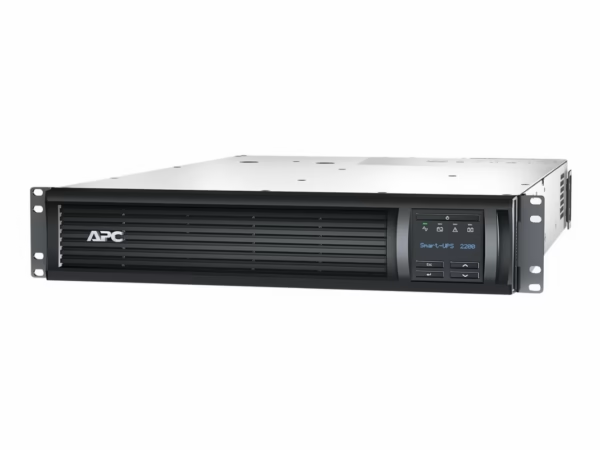
APC SMT2200RMI2UNC Smart-UPS 2200VA 2U with Network Card
On backorder
Reviews
There are no reviews yet.