
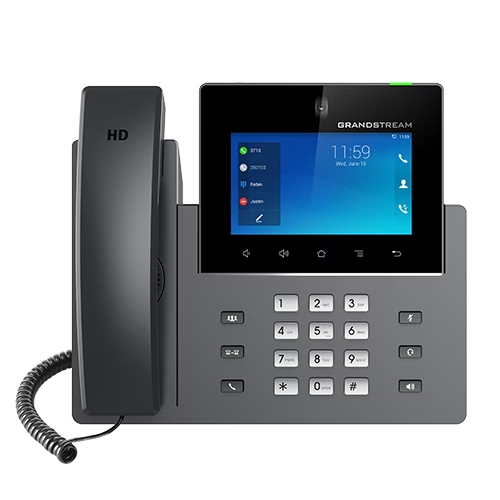
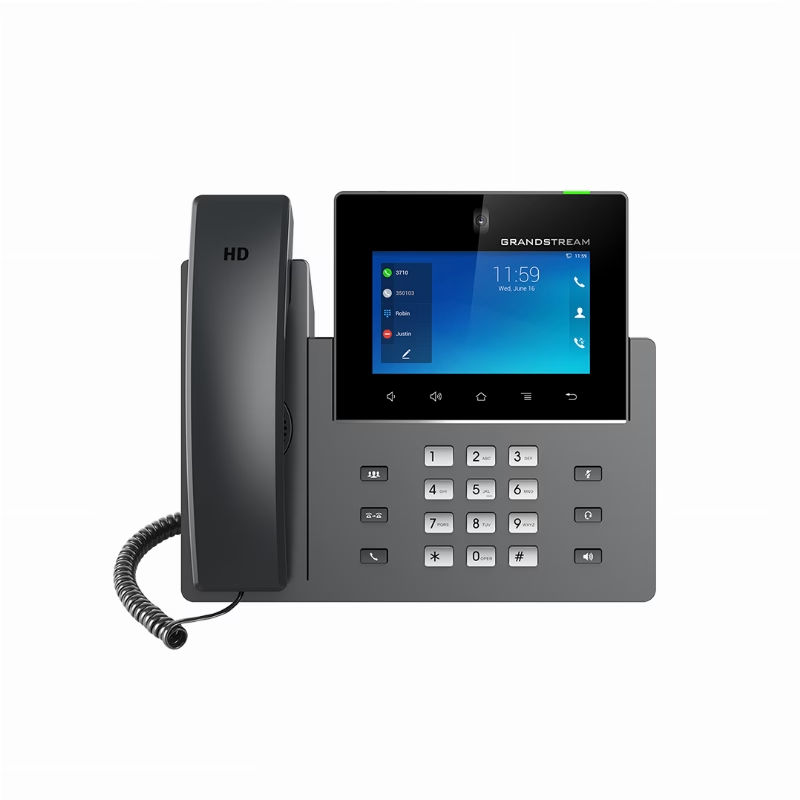
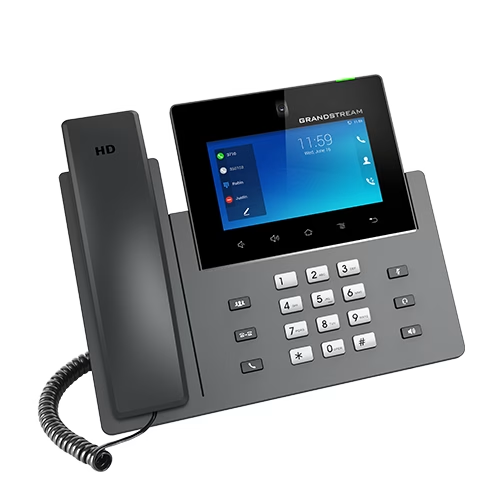
Grandstream GXV3450 Video IP Phone
A video IP phone with a touch display, network connectivity, and business audio and video capabilities.
Original price was: $324.81.$273.59Current price is: $273.59. incl. VAT
Available on backorder
RISYS can programme and prepare devices before delivery. Contact us for quantity and project details.
Wholesale and project supply — up to 45% off

Fast shipping





Genuine warranty

Secure payment





B2B/B2C supply
Up to 45% off wholesale supply.
Overview
The Grandstream GXV3450 is a business video IP phone designed for a defined communications role in a managed organization. Its practical fit depends on call capacity, display interaction, video requirements, network access, power, and the peripherals used at the desk. A Saudi buyer should begin with the employee’s normal call flow and meeting pattern, then check cabling, wireless policy, screen placement, privacy needs, and administration. The GXV3450 should be chosen for its own verified capabilities rather than treated as interchangeable with every GXV model. This role-based approach keeps the purchase tied to a real reception, management, coordination, or service position.
Using Grandstream GXV3450 in daily work
The GXV3450 combines voice, video, and an Android-based touch interface in one desk endpoint. Administrators should prepare accounts, line assignments, contacts, and permitted applications before handover. Users benefit most when recurring actions are placed clearly and when camera privacy, speakerphone etiquette, and headset use are covered during onboarding. The GXV3450 should be tested with the actual call platform, network, display connection, headset, and conferencing workflow planned for production. A saved configuration and asset label help support teams replace or move the phone without rebuilding the desk from memory.
Verified GXV3450 capabilities
The GXV3450 sip accounts is 16. The project team should match this GXV3450 capability to the intended user workflow before deployment.
The GXV3450 line keys is 16 lines. The project team should match this GXV3450 capability to the intended user workflow before deployment.
The GXV3450 display is 5-inch 1280×720 capacitive 5-point IPS LCD. The project team should match this GXV3450 capability to the intended user workflow before deployment.
The GXV3450 poe support is PoE/PoE+; 802.3af Class 3 / 802.3at Class 4. The project team should match this GXV3450 capability to the intended user workflow before deployment.
The GXV3450 connectivity is Two switched 10/100/1000 Mbps ports; 802.11 a/b/g/n/ac dual-band Wi-Fi 5; Bluetooth 5.0. The project team should match this GXV3450 capability to the intended user workflow before deployment.
The GXV3450 power is Included 100–240 VAC adapter, output 12 VDC 1.5 A; 802.3af Class 3 / 802.3at Class 4. The project team should match this GXV3450 capability to the intended user workflow before deployment.
The GXV3450 audio is Opus, G.722, G.711, G.729A/B, G.726-32 and iLBC; Noise Shield 2.0; two omnidirectional microphones; HD handset and speakerphone; 10-way HD audio conferencing. The project team should match this GXV3450 capability to the intended user workflow before deployment.
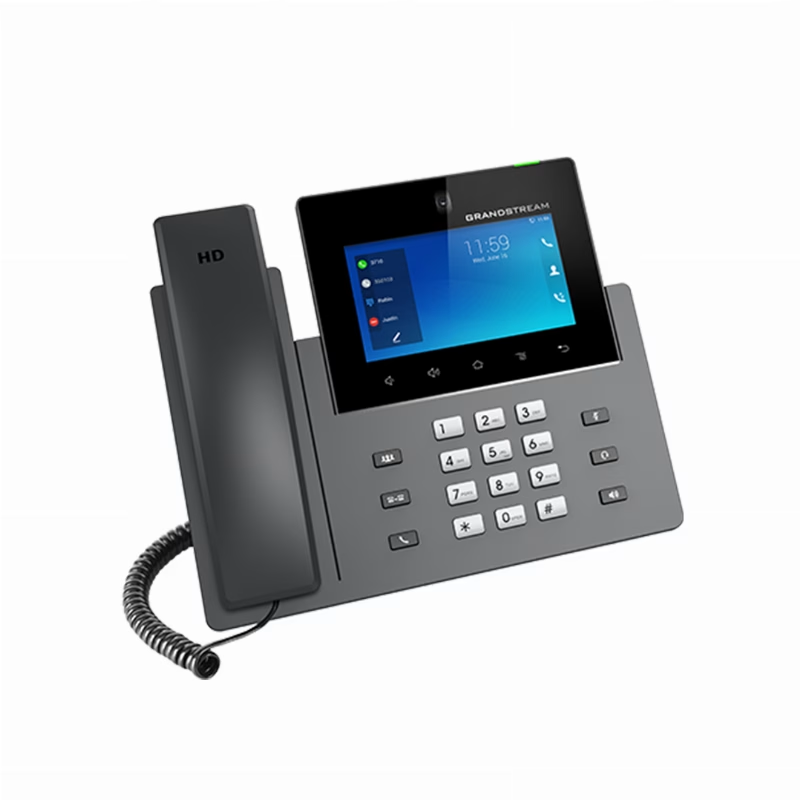
The GXV3450 mounting is Three-position desktop stand. The project team should match this GXV3450 capability to the intended user workflow before deployment.
The GXV3450 operating system is Android 14. The project team should match this GXV3450 capability to the intended user workflow before deployment.
The GXV3450 processor is Quad-core 1.8 GHz ARM Cortex-A55. The project team should match this GXV3450 capability to the intended user workflow before deployment.
The GXV3450 memory is 2 GB RAM; 16 GB eMMC flash. The project team should match this GXV3450 capability to the intended user workflow before deployment.
The GXV3450 camera is Tiltable 2 MP CMOS with privacy shutter; 1080p at 30 fps. The project team should match this GXV3450 capability to the intended user workflow before deployment.
The GXV3450 ports is USB 3.0, USB 2.0, RJ9 headset with EHS. The project team should match this GXV3450 capability to the intended user workflow before deployment.
The GXV3450 video conferencing is 3-way conference; up to 720p at 30 fps and 2 Mbps. The project team should match this GXV3450 capability to the intended user workflow before deployment.
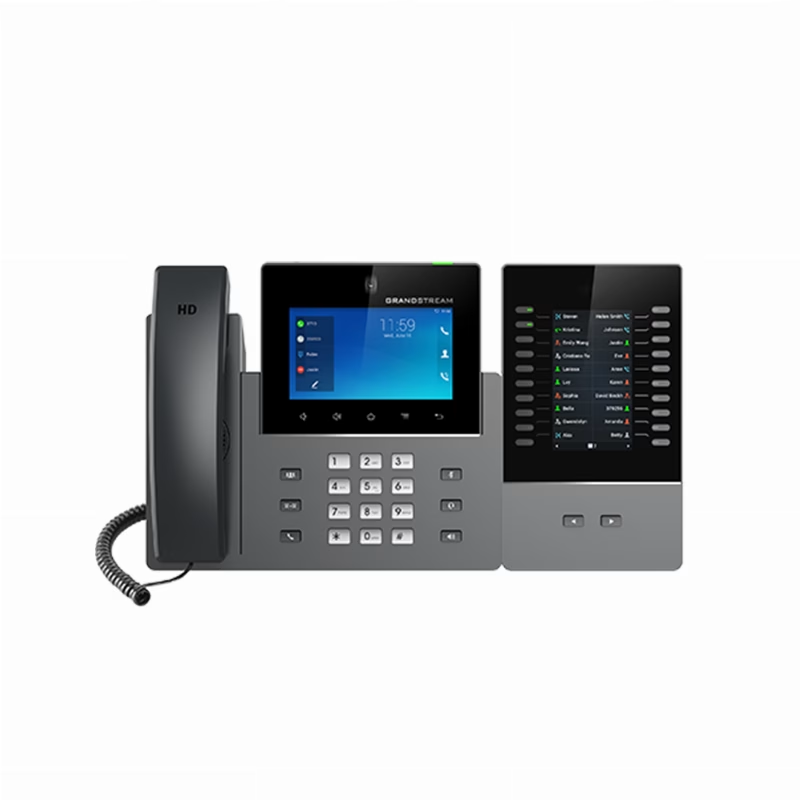
The GXV3450 expansion is Powers up to four GBX20 modules. The project team should match this GXV3450 capability to the intended user workflow before deployment.
The GXV3450 security is AES-256 configuration encryption, TLS, SRTP, HTTPS, 802.1x and secure boot. The project team should match this GXV3450 capability to the intended user workflow before deployment.
The GXV3450 operating environment is 0–40 °C operating; -10–60 °C storage; 10–90% RH non-condensing. The project team should match this GXV3450 capability to the intended user workflow before deployment.
Saudi workplace applications
The GXV3450 can suit executive offices, reception areas, clinic administration, hotel service, education offices, retail management, and multi-branch coordination when its capacity matches the role. Video calling can keep routine visual discussions at the desk, while audio conferencing handles participants who do not require video. The camera and screen should face the seated user without exposing unrelated work areas. Where the phone handles sensitive conversations, privacy settings and physical placement deserve the same attention as network security. Facilities teams should document the extension, switch port, wireless policy, and responsible support group for every GXV3450.
Position within the GXV family
The GXV3450 should be compared with GXV3450, GXV3470, GXV3480 on display size, camera capability, conference capacity, connectivity, storage, ports, and mounting. A larger sibling is useful only when its additional workspace or media capability supports a real task. A smaller sibling may be easier to place when the user needs the core video-phone workflow without the broadest interface set. The GXV3450 earns its place when its particular balance covers the assigned desk. Compare the models on operational outcomes, not on model number alone, and avoid paying for expansion that the role will not use.
Deployment and commissioning
Before installing the GXV3450, confirm Ethernet or Wi-Fi access, PoE or adapter power, SIP service, addressing, security policy, and peripheral connections. Keep cables clear of the handset and screen, reserve ventilation, and place the camera so its privacy control remains easy to reach. Test registration, inbound and outbound calls, audio, camera, video conference, headset, display output, and recovery after power interruption. Record the approved settings and train the user on the functions that matter to the role. The package contents support assembly, while reliable service still depends on prepared network and voice infrastructure.
Buying decision
Choose the GXV3450 after confirming that its accounts, controls, screen, media, network, power, and environmental requirements suit the planned workstation. Include switch capacity, cabling, configuration effort, user training, and support ownership in the procurement plan. When several units are deployed, use a repeatable acceptance checklist and consistent naming. The GXV3450 then becomes a manageable communications endpoint that supports daily work instead of an isolated smart device with unclear responsibility.
Package Contents
- GXV3450 phone
- Handset with cord
- Base stand
- Universal power adapter
- Network cable
- Screen-cleaning cloth
- Quick Installation Guide
Technical Specifications
- Brand
- Grandstream
- Model
- GXV3450
- Power
- Included 100–240 VAC adapter, output 12 VDC 1.5 A; 802.3af Class 3 / 802.3at Class 4
- Audio
- Opus, G.722, G.711, G.729A/B, G.726-32 and iLBC; Noise Shield 2.0; two omnidirectional microphones; HD handset and speakerphone; 10-way HD audio conferencing
- PoE Support
- PoE/PoE+; 802.3af Class 3 / 802.3at Class 4
- Display
- 5-inch 1280x720 capacitive 5-point IPS LCD
- Connectivity
- Two switched 10/100/1000 Mbps ports; 802.11 a/b/g/n/ac dual-band Wi-Fi 5; Bluetooth 5.0
- Ports
- USB 3.0, USB 2.0, RJ9 headset with EHS
- Mounting
- Three-position desktop stand
- Sip Accounts
- 16
- Line Keys
- 16 lines
Frequently Asked Questions
How many SIP accounts does the GXV3450 support?
The GXV3450 supports 16 SIP accounts.
What display does the GXV3450 use?
The GXV3450 display is 5-inch 1280x720 capacitive 5-point IPS LCD.
What connectivity does the GXV3450 provide?
The GXV3450 connectivity is Two switched 10/100/1000 Mbps ports; 802.11 a/b/g/n/ac dual-band Wi-Fi 5; Bluetooth 5.0.

Grandstream
Grandstream provides VoIP, IP PBX, IP phones, networking, Wi-Fi and unified communication solutions for businesses.
Browse brand productsShipping, Warranty and Regulatory
Delivery inside Riyadh
Clear warranty
Some devices or frequencies may require a permit or approval depending on the intended use and the regulations in force in the Kingdom. Requirements are clarified before project orders are fulfilled.
Customer Reviews
No ratings yet for this product
Only logged in customers who have purchased this product may leave a review.
Related Products
Grandstream GRP2601W 2-Line Wi-Fi IP Phone
On backorder
Grandstream GXP1630 Desktop IP Phone
On backorder
Grandstream GRP2612G 4-Line Gigabit IP Phone
On backorder
Grandstream GRP2602G Gigabit PoE IP Phone
On backorder
Reviews
There are no reviews yet.